
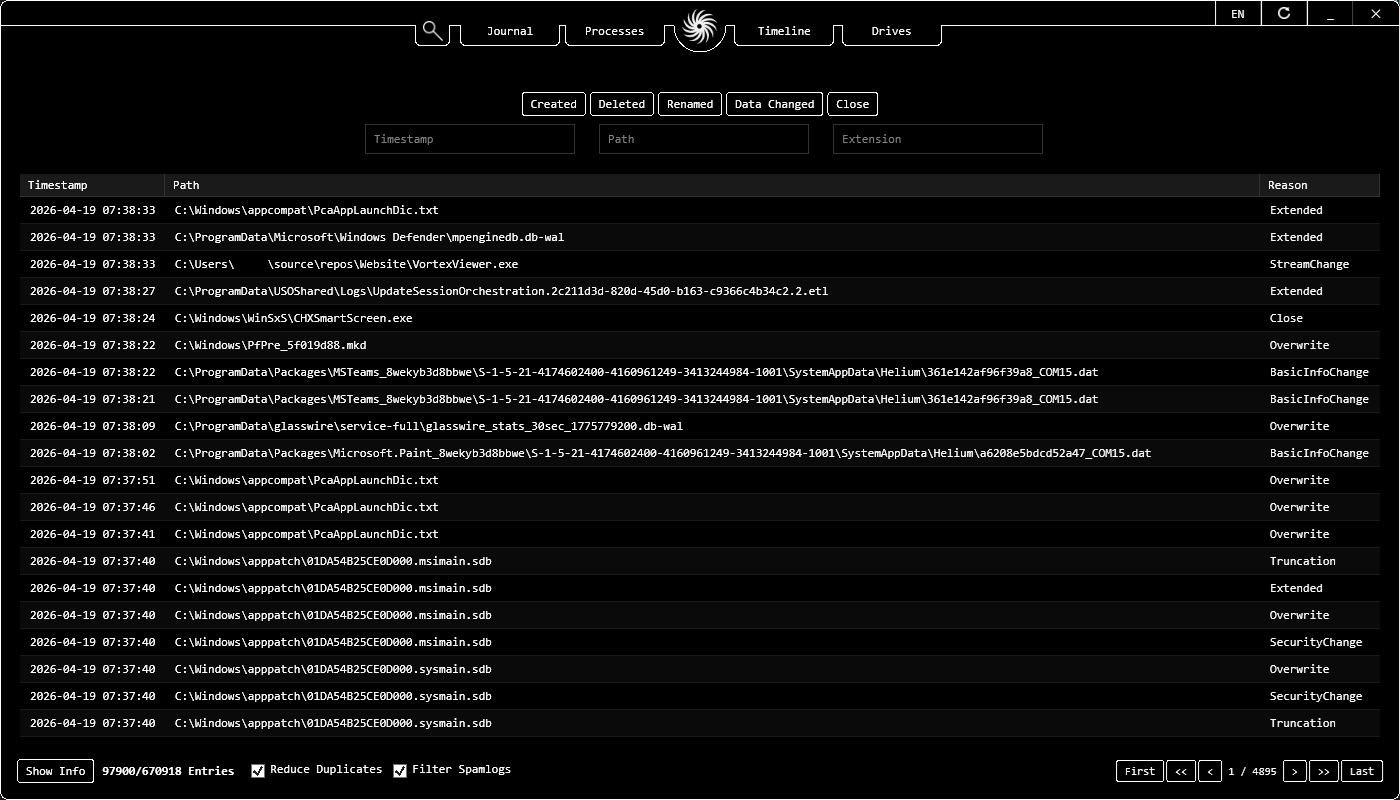
The Role of Vortex Viewer in Modern Incident Response
In the fast-paced world of Incident Response (IR), speed is the most critical factor. When a security alert triggers, examiners need immediate visibility into the state of the machine. Vortex Viewer is engineered to be a "Live Triage" powerhouse, providing a unified viewport into the most volatile and revealing artifacts of a Windows system.
Unlike traditional forensic tools that require long imaging processes, Vortex Viewer operates directly on the live system. It bridges the gap between raw data collection and actionable intelligence by aggregating process memory, filesystem journals, and execution timelines into a single, interactive interface. This makes it an indispensable tool for active system response and rapid threat hunting.
Live Triage: Beyond Simple Log Viewing
A true Live Triage Tool must go beyond simply showing what is on disk. Vortex Viewer delves into the running state of the machine. One of its most powerful features is the Process Memory String Parser. By scanning the memory space of active processes, investigators can find "low-hanging fruit" like plain-text passwords, encryption keys, or malicious C2 (Command and Control) domains that are never written to the disk.
- USN Journal Monitoring: Track real-time changes to the filesystem. See exactly which files are being modified, created, or deleted by a suspicious process.
- Memory String Extraction: Extract ASCII and Unicode strings from process memory to identify injected code or hidden configurations.
- Execution Timelines: Aggregate data from multiple sources to see a chronological flow of system activity.
- Zero Installation: Runs as a single standalone executable, ensuring a minimal forensic footprint on the target machine.
USB History Timeline & Hardware Connection Parser
Identifying hardware interactions is a core component of any Incident Response (IR) Tool. Vortex Viewer functions as a USB History Timeline aggregator, correlating Registry data with system logs to reconstruct a precise history of device connections:
- USB Forensic Tool: Track when external storage devices were first connected, last connected, and removed.
- Hardware ID Mapping: Identify the specific make, model, and serial number of connected hardware via the Registry.
- Partition Identification Utility: Link physical USB devices to the logical drive letters assigned by the OS.
- Driver Installation Software: Detect the introduction of unauthorized drivers used for data exfiltration.
Process Memory String Tool & USN Journal Extraction Software
Vortex Viewer specializes in high-speed Live Triage by focusing on volatile system artifacts through its Process Memory String Tool and USN Journal Extraction Software:
- Process Memory Parser: Extract strings, URLs, and IP addresses directly from the private working set of active processes.
- USN Journal Extraction Tool: Recover real-time file activity records from the Update Sequence Number (USN) Journal for instant NTFS visibility.
Live System Triage & IR Features
| Feature | Incident Response Value | Vortex Support |
|---|---|---|
| Memory Strings | Malware C2 / Credential Discovery | Real-time String Search |
| USN Journal | Live Filesystem Activity / Deletions | High-speed Extraction |
| USB Timeline | Unauthorized Device Detection | Full Hardware History |
| Process Triage | Ransomware & RAT Identification | Active Process Monitor |
| Timeline Aggregator | Chronological Event Correlation | Unified Forensic View |
Note: For more information on process analysis and memory forensic techniques, see our Live Process Triage Guide.